For viewers
Submit an image
A streamer shared a tier list and wants your picks. Here's how to add one — sign in, choose an image, crop it into a square, give it a label. Takes about a minute.
…/t/their-list). This page just explains the steps — open the streamer's link when you're ready to submit.Sign in with Twitch
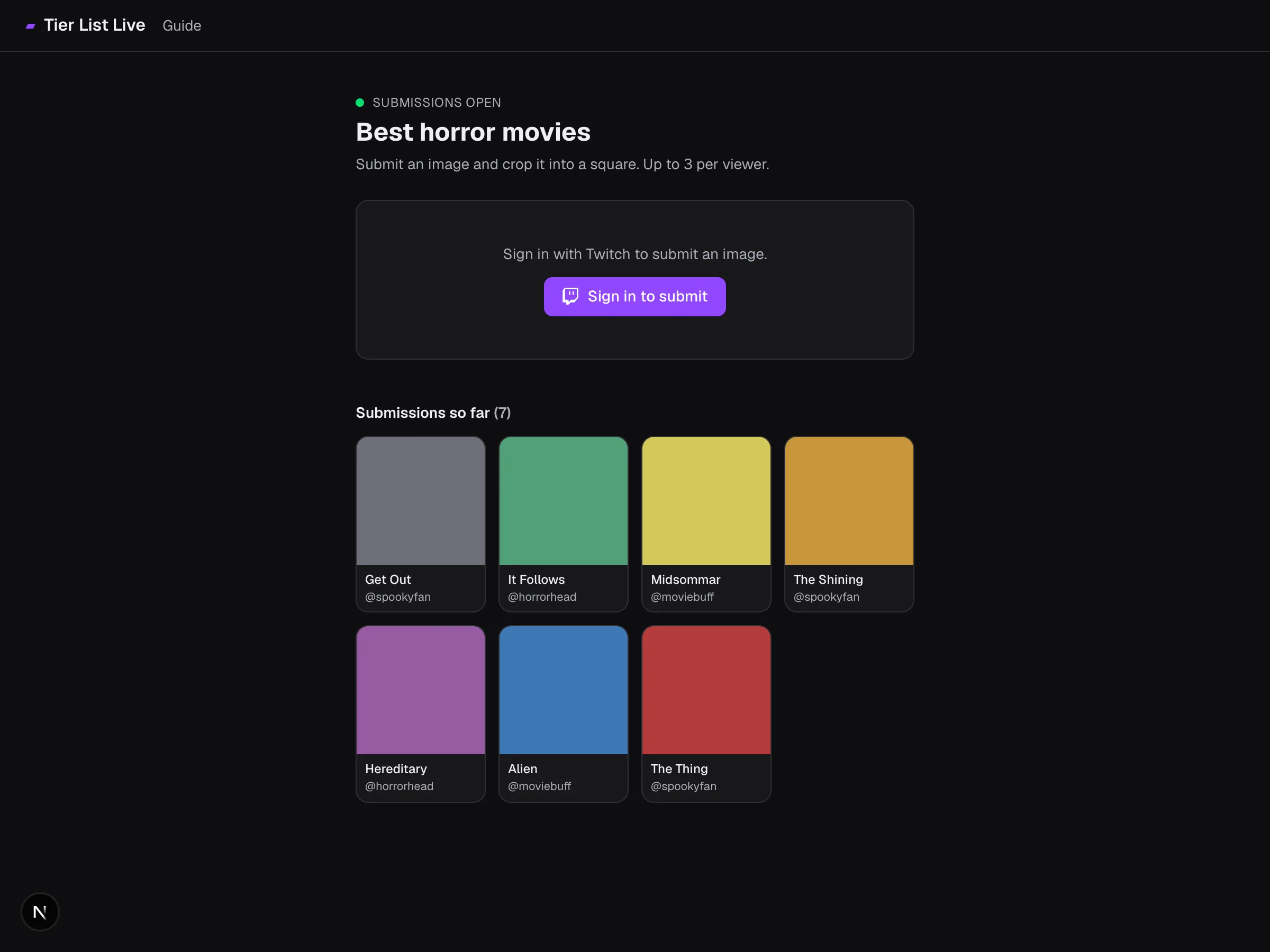
Open the streamer's link and click Sign in to submit. Everyone signs in with Twitch, so submissions are tied to a real account — that keeps things fair and lets the streamer moderate.
Choose an image
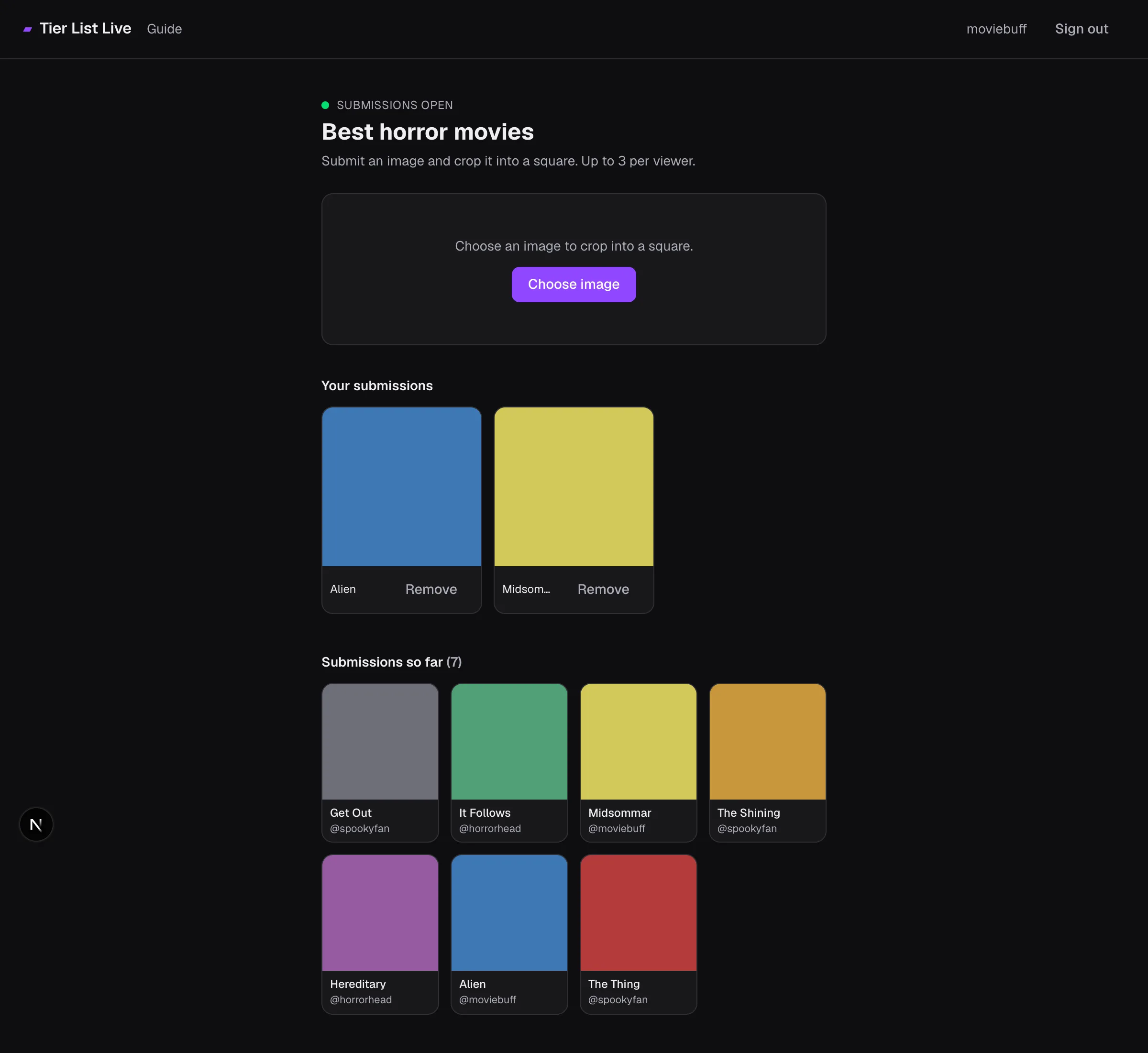
Make sure the status dot up top is a green Submissions open — if it's closed, the streamer isn't taking entries right now. Then click Choose image and pick a file from your device.
JPG, PNG, WebP, or GIF, up to 15 MB.
Crop it into a square
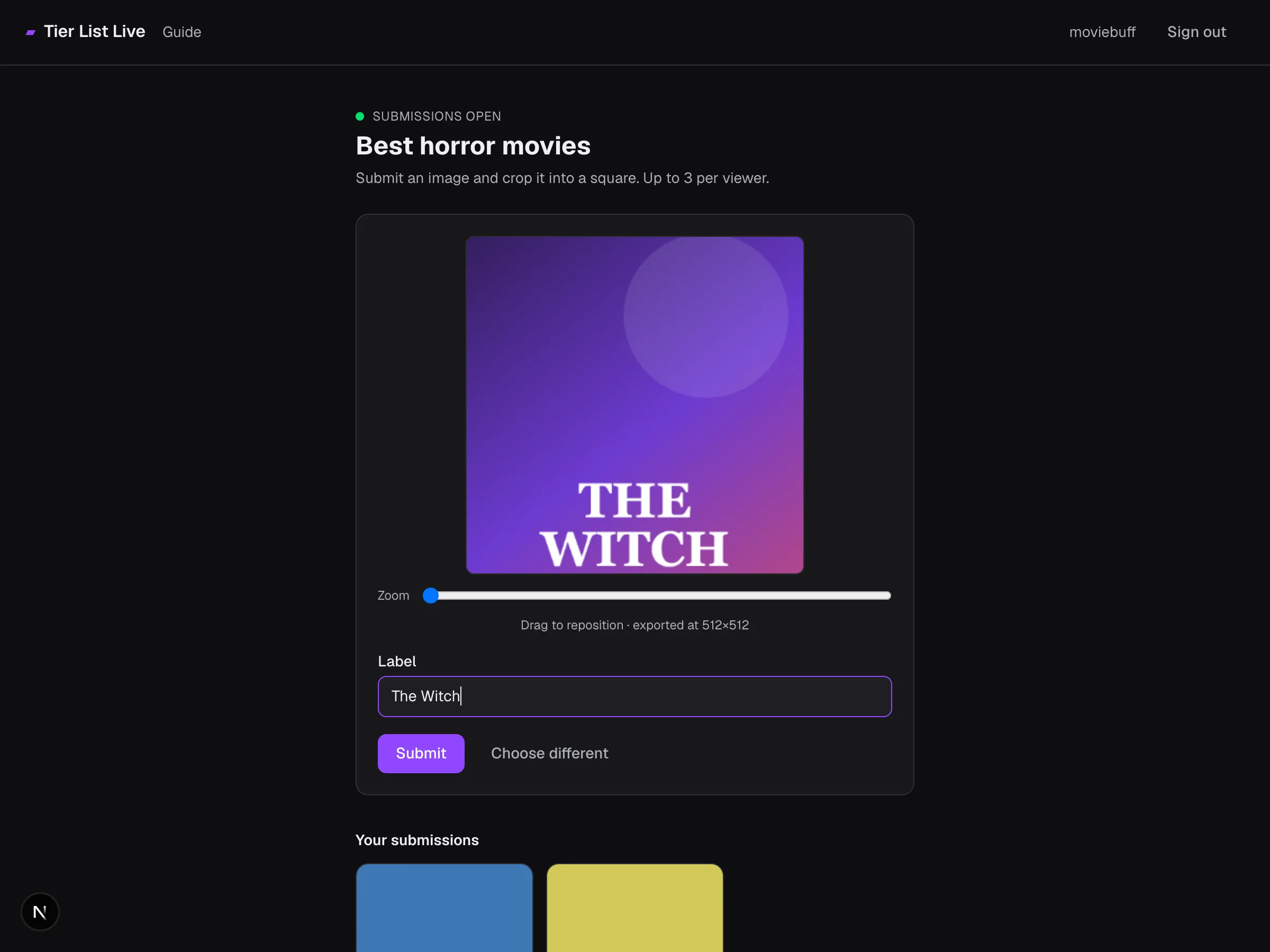
Every entry is a square. Drag the image to reposition it inside the frame and use the Zoom slider to frame the part you want. It's exported at 512×512 — all the cropping happens in your browser, so only the finished square is uploaded.
Add a label and submit
Type a short label (up to 40 characters) — the name of the thing in your image, like The Shining. Then click Submit. Not happy with the crop? Choose different starts over.
Add more or remove yours
- You can submit up to the streamer's per-viewer limit (shown as “Up to N per viewer”).
- Your entries appear under Your submissions. While submissions are open you can Remove any of them and submit something else.
- Once the streamer closes submissions, entries are locked — you can't add or remove, and the streamer decides what makes the board.
Tips for a good submission
- Stay on theme. Off-topic entries get denied and never reach the board.
- Pick a clear, square-friendly image. The subject should survive a center-ish square crop.
- Label it accurately. A clear name helps the streamer and avoids duplicate confusion.
- Keep it appropriate. Streamers can deny entries and ban repeat offenders, which pulls all your images from the board.
Quick facts
| File types | JPG, PNG, WebP, or GIF |
| Max file size | 15 MB |
| Final shape | Square, exported at 512×512 |
| How many | Up to the streamer's per-viewer limit |
| Remove an entry | Anytime while submissions are open |
| Sign-in | Twitch (required to submit) |